

internal tool · 2026
Core Home Finish Library
Excel and slide specs → one 3D source of truth for 108 finishes
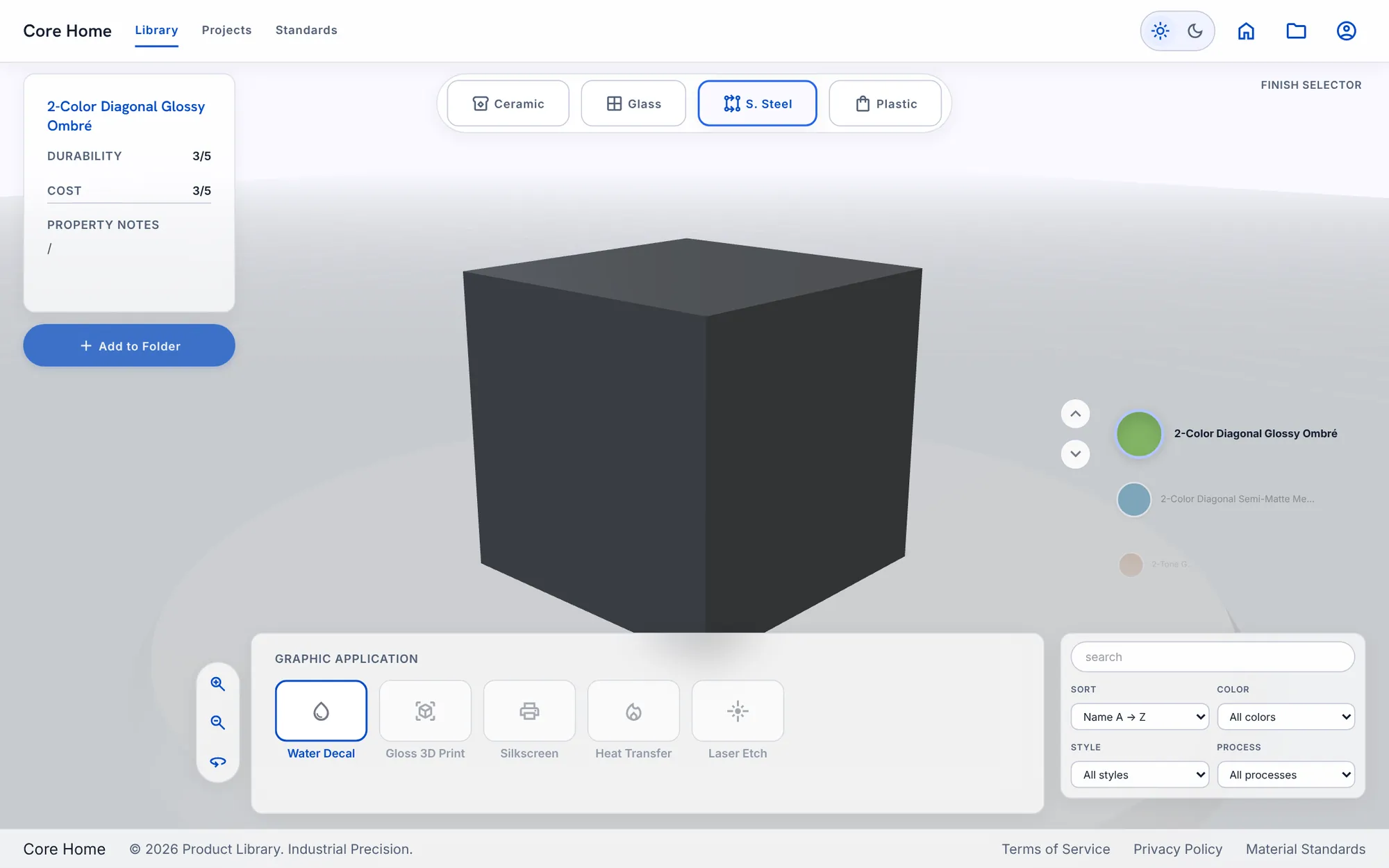
Core Home designs kitchen and home products for dozens of brands. Render requests used to travel as spreadsheets and slide decks, and every team pictured a different finish. I built a shared web app where anyone can pick a material, scroll through finishes, choose a graphic treatment and see it live in 3D.
- 108
- finishes imported from the factory catalog
- 4
- materials: ceramic, glass, steel, plastic
- 13
- chapter project book for non-technical readers
- 2 wks
- from scaffold to live Phase 1
The challenge
Specs lived in Excel and PowerPoint. Product Development and Industrial Design worked from different files, finishes were described in words, and renders came back wrong.
The tool had to be simple enough for anyone at the company and accurate to the factory’s own catalog.
The approach
Import the factory’s v3 spreadsheet straight into the catalog with a script, so the source of truth stays the factory’s data.
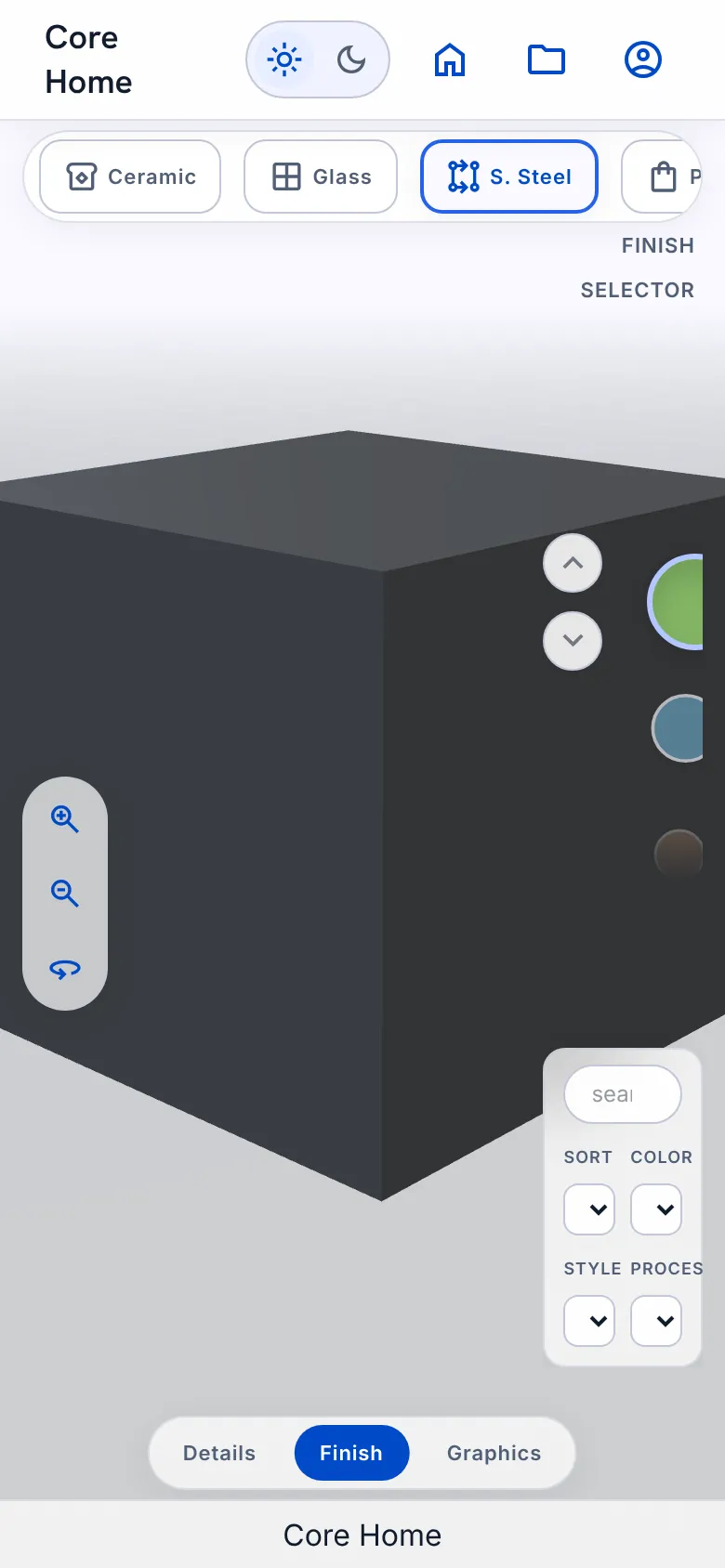
Design around one screen: material tabs, a finish wheel with search and filters, a graphic application shelf, a specs card and a real-time 3D preview.
What I built
Material tabs and finish wheel
Ceramic, Glass, Stainless Steel and Plastic, with search, sort and filters by color, style and process.
Live 3D preview
Three.js with orbit controls and a light/dark theme so finishes read correctly.
Graphic application shelf
Water decal, gloss 3D print, silkscreen, heat transfer, laser etch.
Specs card
Durability, cost and property notes for every finish, plus “Add to folder”.
Spreadsheet importer
Node + xlsx turns the factory workbook into the catalog JSON and D1 seed.
Project book
13 chapters, from “why we built this” for the C-suite to deployment for developers.
How it fits together
- 01Factory .xlsxSource of truth
- 02Import scriptNode + xlsx
- 03Catalog JSON / D1108 finishes
- 04ConfiguratorThree.js preview
- 05Render requestPhase 2: Worker + R2
What improved
Stack & why
- Three.jsReal-time 3D in any browser, no plugins.
- Cloudflare Pages + D1Fast internal tool with a real database ready for Phase 2.
- GitHub ActionsPush to main deploys automatically.
- Google StitchRapid UI exploration before hand-building the HUD.
Build log
16 commits · May 21 – Jun 3, 2026Highlights from the repository’s commit history, in the original words.
Scaffold Render Portal from PROJECT.mdConfigurator 3D preview, standards library UX, and Lumina HUDFinish wheel browse, HUD layout, and search card alignmentImport ceramic, glass, and plastic finishes from factory v3 xlsx